UX research
UI design
Webflow development
2024

Dexla

An AI app builder that lets business founders build
dynamic apps from an idea
View outcome
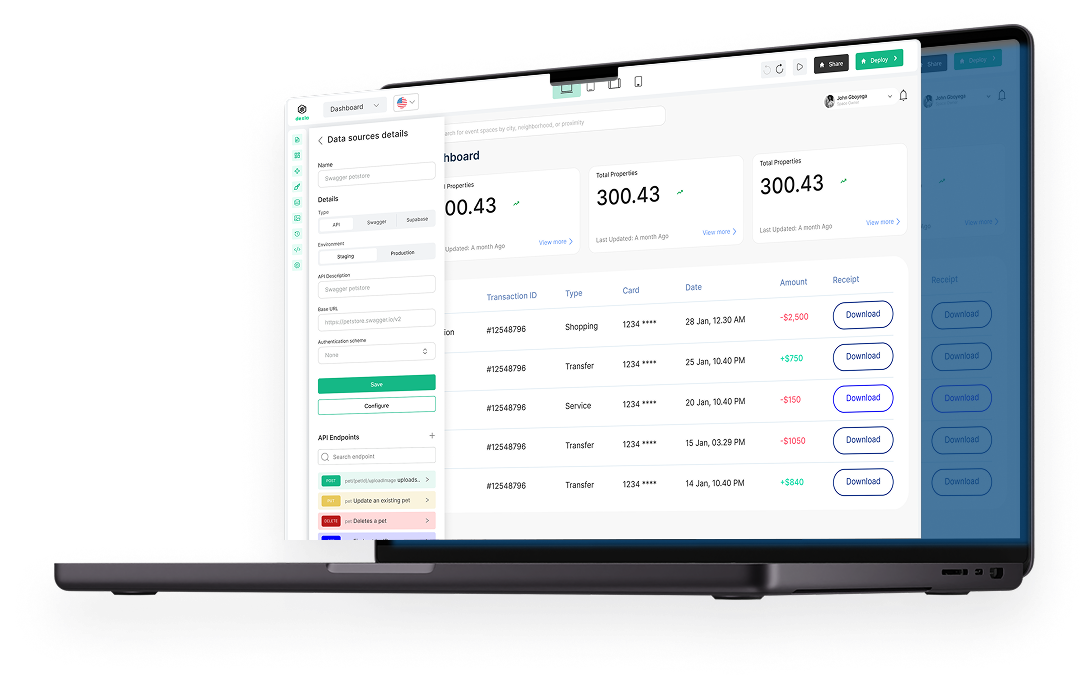
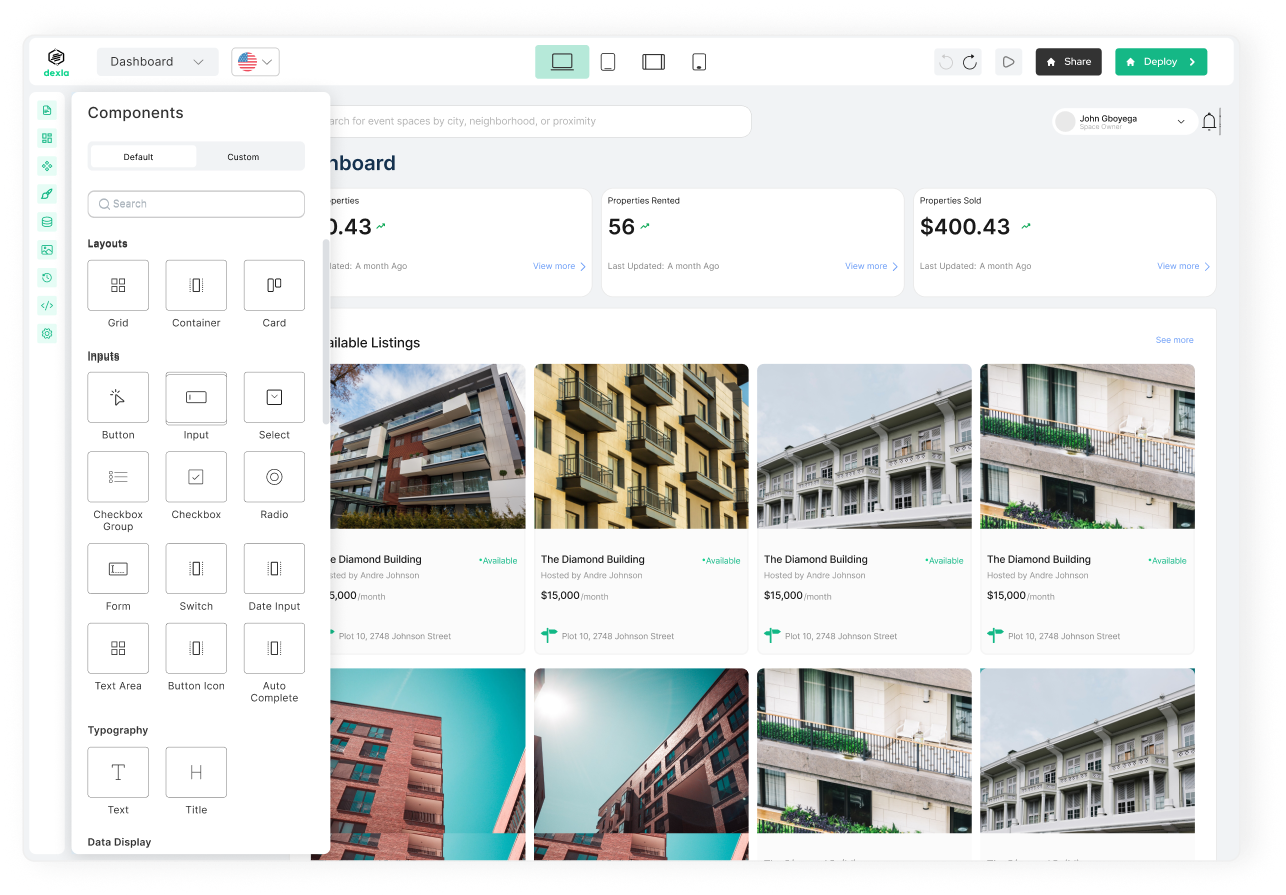
"Making entrepreneurship accessible to anyone with an idea." That summarises what Dexla, an AI app builder, is all about.

Building your own app sounds exciting, until you sit down and try to do it. That is what Dexla wanted to fix. They were building an AI-powered app builder aimed at everyday business owners, not tech-savvy devs.

When I joined Dexla as a UX/UI designer and no-code developer, most of the platform was still geared toward users with low-code skills. It was not friendly for people without a technical background. So I was brought on to help redesign the platform with a team of designers.

The goal? Make building a web app feel way less confusing, and way more doable, especially for small business owners who just want to get online and get moving.
DOCUMENTATION 1 OF 6

Background

Simplifying technical processes was daunting. Even with my technical stack, there was only so much I could simplify

I struggled to balance generalising certain technical terminologies while preserving their meaning and essence.

Lastly, Dexla's platform had visual inconsistencies because it did not have a company design system. This made the redesigning process more tedious.

What exactly are users struggling with? Let’s be honest, simplifying tech-related terminologies and processes is hard, even when you do understand the tech. I have some background in HTML, CSS, and JavaScript, so I knew what needed simplifying. But turning all that into something a non-technical user could understand? That was a different challenge.

On top of that, the platform didn’t have a design system, so everything looked a little off. The terminologies were still very developer-focused. And the actual process of positioning elements on the canvas was… confusing, and anything but user-friendly. We had to rethink the experience from the ground up — not just to make it easier, but to make it feel easier too.

DOCUMENTATION 2 OF 6

Challenges

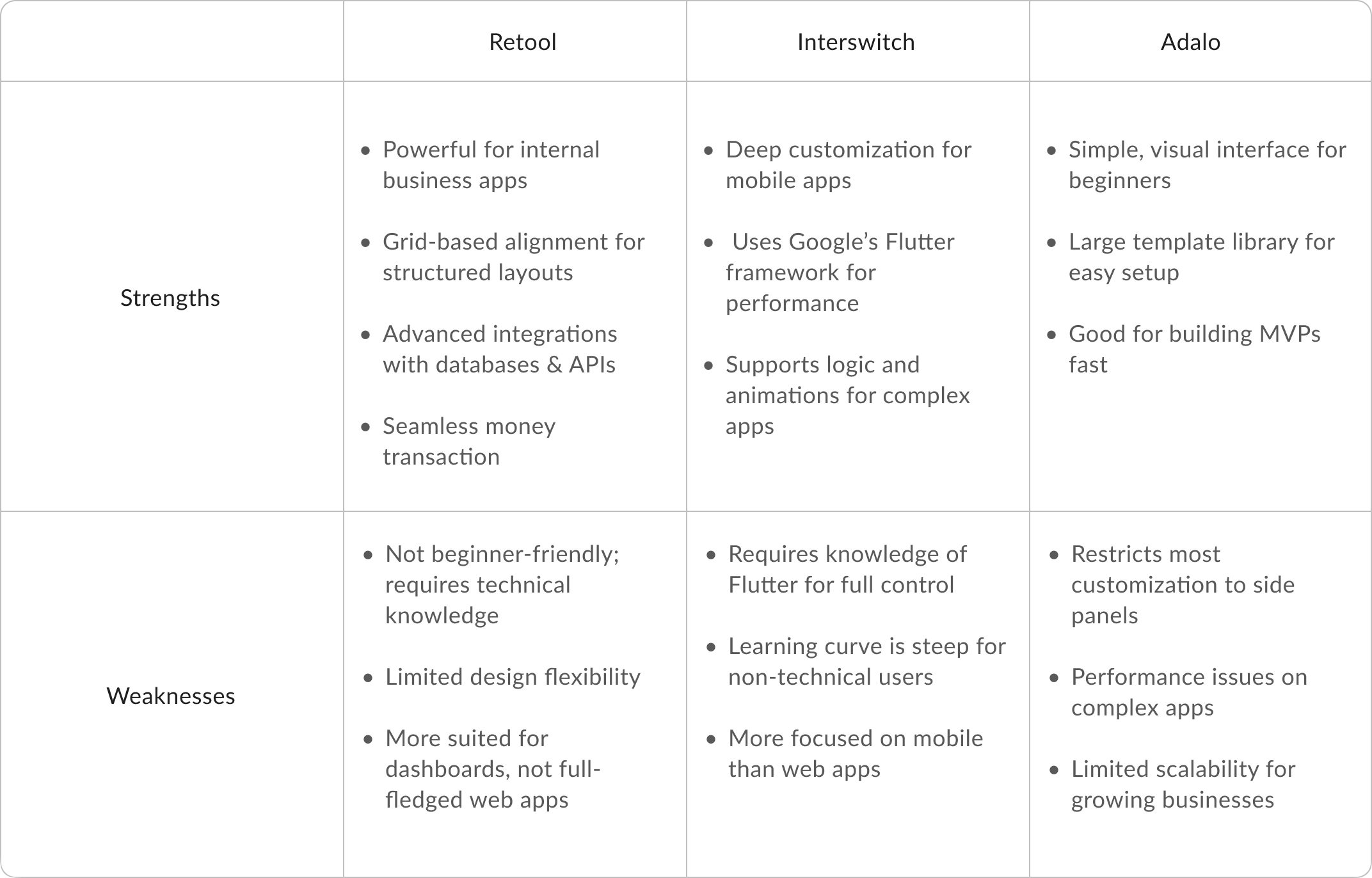
Researching Dexla’s competitors revealed key gaps in existing no-code platforms, shaping my approach to designing a more intuitive and accessible interface. Many competitors, like Retool and Flutterflow, required technical knowledge, while others, like Unstack and Adalo, restricted customisation to side panels.

I saw an opportunity to simplify web app development by integrating direct canvas editing, AI-assisted onboarding, and a structured 96-column grid system, allowing users to build with precision while keeping the experience fluid and beginner-friendly.

A major takeaway from platforms like Webwave and Jetadmin was the importance of alignment tools and spacing indicators. Inspired by their use of cross-hairs, rulers, and snap-to-grid mechanics, I designed Dexla’s drag-and-drop system to offer clear visual feedback, reducing frustration when positioning components. Unlike tools that required separate panels for fine-tuning, I ensured users could adjust layout, spacing, and resizing directly on the canvas—enhancing both speed and usability.

This research-driven approach led to a faster, more intuitive Dexla experience that empowers non-technical users to build apps effortlessly. By eliminating common pain points, complex terminology, rigid drag-and-drop mechanics, and hidden customisation settings, I crafted an interface that prioritises clarity, flexibility, and efficiency.

The result? A platform that helps entrepreneurs focus on their ideas rather than the technicalities of app building.

DOCUMENTATION 3 OF 6

Dexla's edge

Shows low-fidelity wireframes. I used it to experiment with layout and flows for how users browse, view
We solved the terminology simplification by consulting with stakeholders and developers to agree on certain terms.

I led the creation of a well-structured design system. This served as a foundation that fostered collaboration and reduced inconsistencies. Before diving into redesigning, we were torn between using either Grid or Flex to simplify positioning components onto the canvas through the drag-and-drop process.

While each approach had its advantages and drawbacks, we had to choose the solution that would best meet our target audience's needs. The team couldn't decide on either approach.

Therefore, we decided to compare both approaches by implementing each one separately. Below, I will walk you through our thought process for each solution.
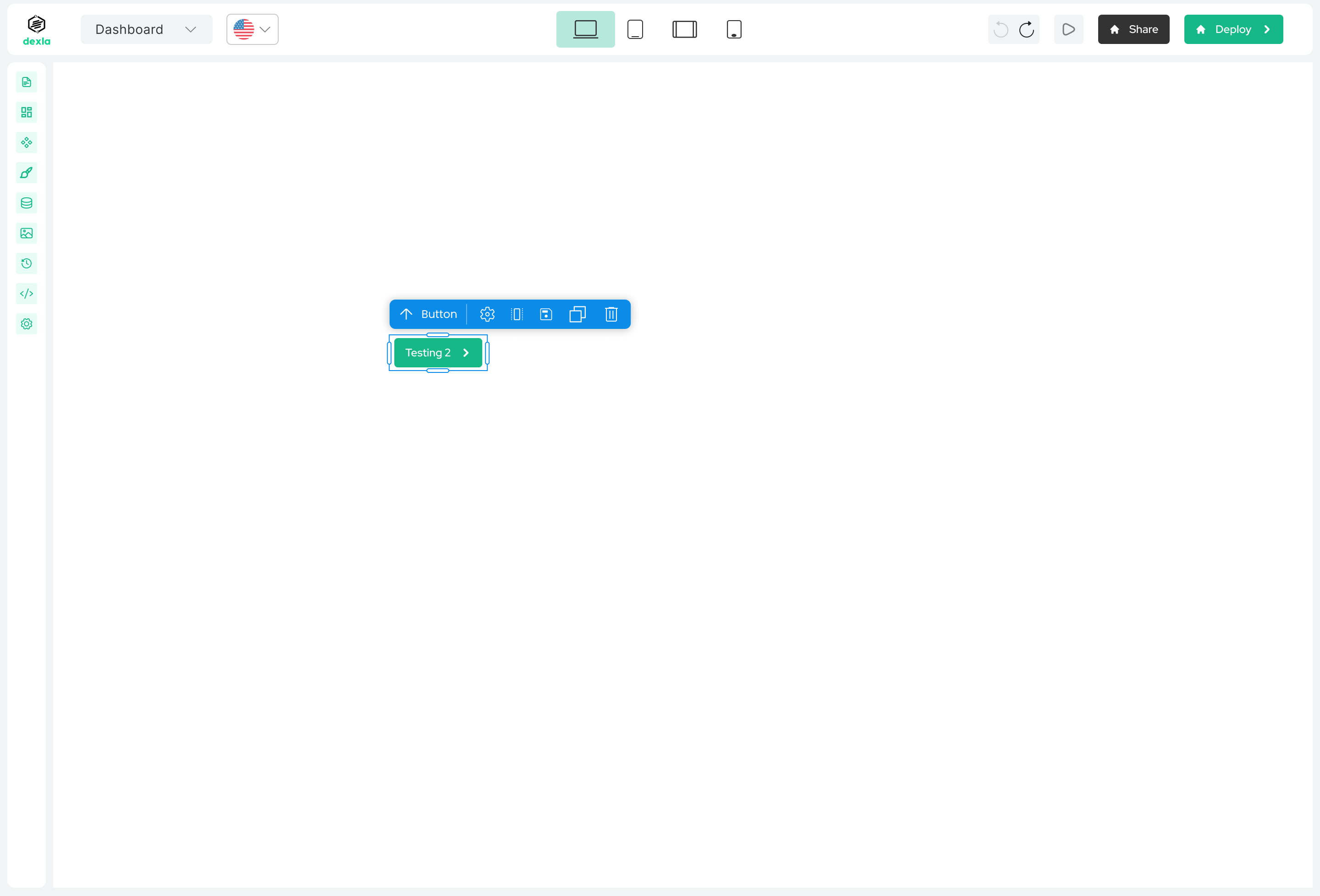
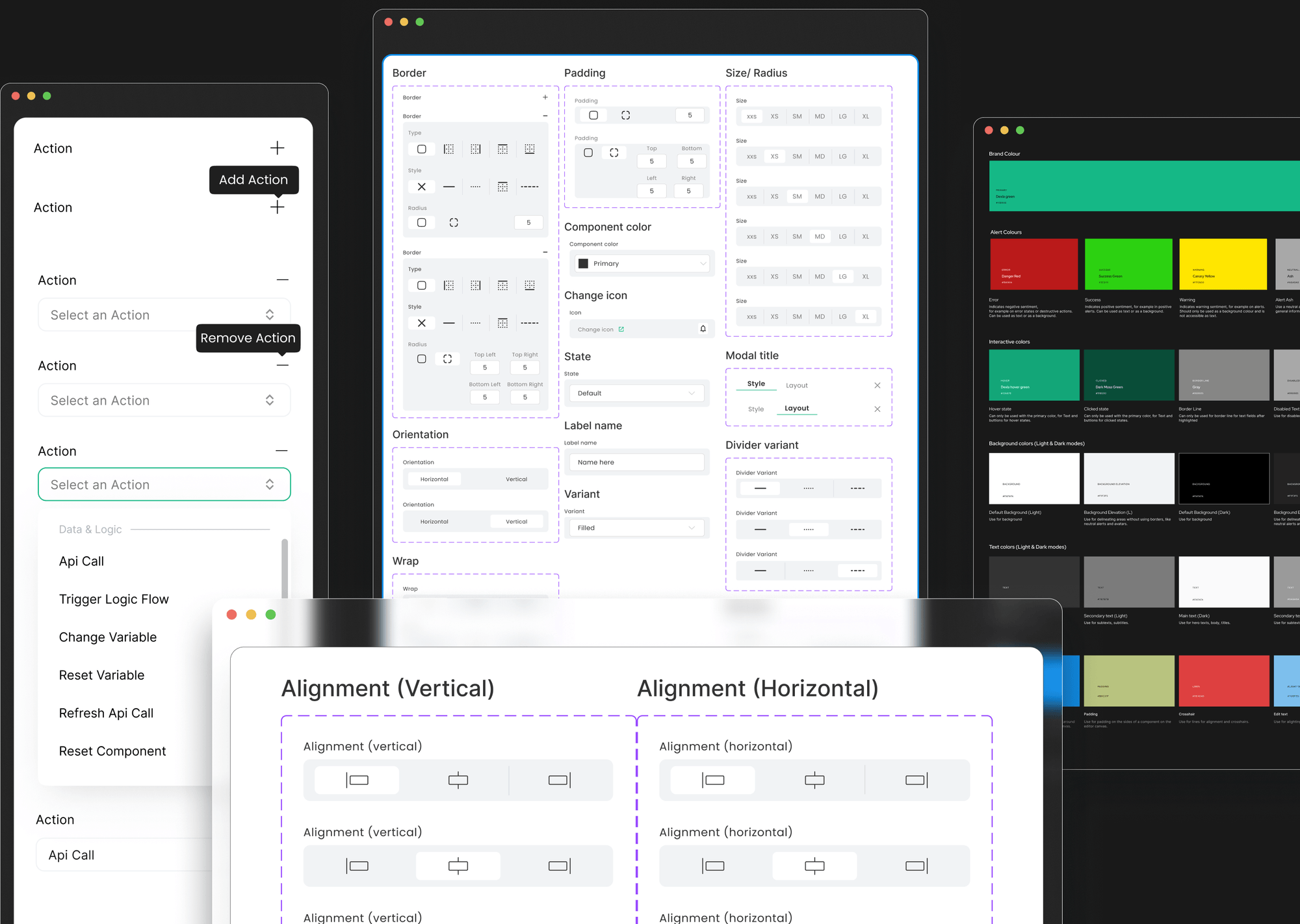
We thought maybe a simplified version of Flexbox could work. I knew the ins and outs of flex layouts, so I figured I could hide the complexity and make it user-friendly. I designed:
  • Interactive alignment lines (like crosshairs) to guide placement
  • Tags like S, M, L, XL instead of pixel values
  • Automatic spacing indicators between elements

It worked… sort of. It looked great, but testing showed that performance started to dip with too many flex containers. And from a dev perspective, it would have taken months longer to go live. Not worth it. So we moved on.

DOCUMENTATION 4 OF 6

Flex solution

Shows low-fidelity wireframes. I used it to experiment with layout and flows for how users browse, view

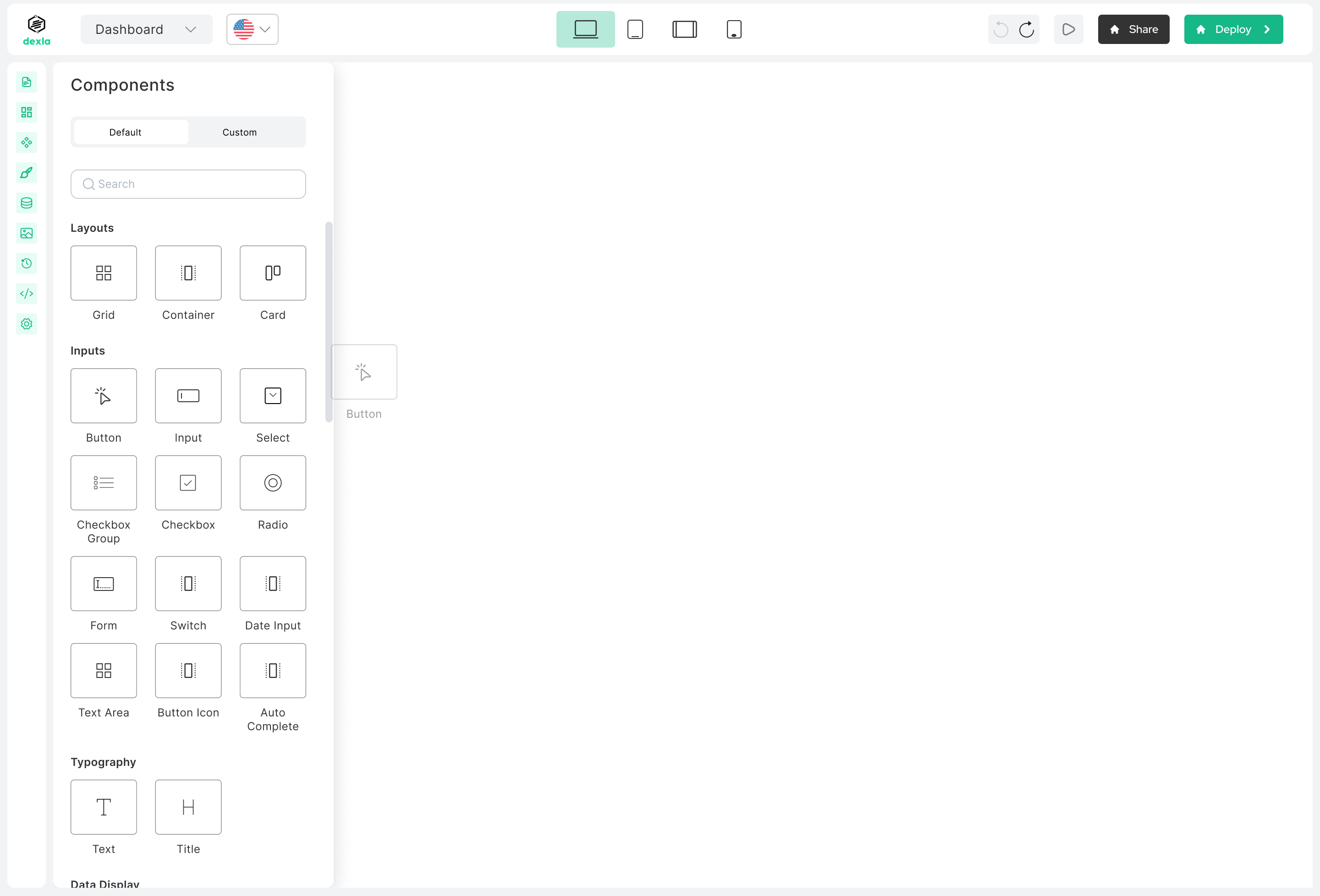
This approach used a 96-column layout behind the scenes. Components would snap into place on the canvas, stretch across columns, and scale responsively. We added:

  • Hover nodes for resizing
  • Snap-to-column logic for faster alignment
  • No need to understand any code-like properties
It worked. Really well. We tested it by building a full web page from scratch, and it took less than 15 minutes. And the experience felt simple, visual, and fast. Way more suited to our audience.

Business owners could now focus on their ideas, not on fiddling with weird layout settings or wondering what "flex-direction" meant. The final version of Dexla was:

  • Faster to build with
  • Easier for non-technical users
  • More scalable for future updates
DOCUMENTATION 6 OF 6

Grid solution

Shows low-fidelity wireframes. I used it to experiment with layout and flows for how users browse, view

This project reminded me that simplicity is really hard to design for,  but so worth it. This project taught me the importance of:

  • Balancing technical feasibility with aesthetics
  • collaborating closely with stakeholders and developers
  • Iterating based on performance testing and real-world use cases
Oh, and I also designed and built Dexla’s marketing site in Webflow. You can check that out here

More projects

Wise-Young Explorer

View project

Dexla Design System

View project

Dexla Case Study

View project

Wise-Young Explorer

View project

Dexla Design System

View project

Dexla Case Study

View project

A product designer crafting thoughtful experiences  for modern software teams.

Hi, I’m Toba. I have spent the last 3 years helping startups design and build better products. Here’s some of my work.
View projects

UX Designer &

No-code Developer.

creating digital designs that people enjoy using and remember.
ABOUT ME
I can solve a Rubik's cube in 1:15, but that's just one way I keep my hands busy. When I'm off work, I sketch portraits with charcoal on alabaster paper, and recently dove into canvas painting.

My path to UI/UX design started with a mathematical mix-up – I thought it was related to dy/dx calculus. That confusion led to a two-year journey of crafting digital spaces people love to use
I can solve a Rubik's cube in 1:15, but that's just one way I keep my hands busy. When I'm off work, I sketch portraits with charcoal on alabaster paper, and recently dove into canvas painting.

My path to UI/UX design started with a mathematical mix-up – I thought it was related to dy/dx calculus. That confusion led to a two-year journey of crafting digital spaces people love to use
SELECTED PROJECTS
Infragen
Infragen is an AI platform that transforms raw data into powerful AI applications
Dexla
Dexla is a no-code AI app builder for non-technical business owners creating web apps.
FlexPay
FlexPay, a mobile app blending tech and finance for smarter money management.
Get Ryder app
SELECTED PROJECTS
Dexla Design System
A case study on Dexla's design system component library
Dexla Case Study
An AI app builder that allows business owners to build dynamic apps from an idea...
FlexPay
A mobile app blending tech and finance for smarter money management
Airstride
The product uses AI to help businesses build and manage distribution partnerships more efficiently.
REVIEWS

Take their words for it.

"I am delighted to provide a recommendation for Toba, with whom I had the privilege of collaborating closely during his tenure at letsremotify. Throughout this period, I had the chance to observe his extraordinary talents and unwavering commitment.  Toba is an exceptional UI/UX professional, possessing remarkable problem-solving abilities, leadership skills, and technical expertise. He consistently exhibited a deep understanding of the remote work environment."

Ali Ashfaq

Senior UX/UI designer

"I had the pleasure of working alongside Toba during our tenure at Zummit Africa. Toba is an innovative designer, consistently introducing fresh ideas to our projects. His dedication to learning and exceptional listening skills set him apart, and he consistently pushed boundaries to ensure the best possible outcomes. I wholeheartedly recommend Toba for any endeavor he takes on"

Victor Emokpare

Product designer

Great to work with and very quick to implement changes at any time. Top mentality and a great fit for any company.

Onyeka Kingsley

No code developer

"I am pleased to write a recommendation for Toba, whom I had the pleasure of working closely with at letsremotify. , I had the opportunity to witness his exceptional skills and dedication firsthand.  Toba is an outstanding UI/UX with a remarkable ability to problem-solving, leadership, technical proficiency. He consistently demonstrated a keen understanding of the remote work landscape.perience with your product/service"

Mehria Akhtar

Senior growth executive

"Working with Toba at Dexla Inc was a pleasure. As a Product Designer and No-Code Developer, he brought a rare balance of creativity and practicality to every project. His designs weren’t just visually polished—they were thoughtful, prioritizing user needs while staying aligned with technical constraints.

Toba’s no-code expertise streamlined workflows for our team, and his willingness to bridge design and development made him a trusted partner for engineers and PMs alike. If you value designers who care as much about functionality as aesthetics, Toba is a perfect fit."

Williams Balogun

Full stack engineer